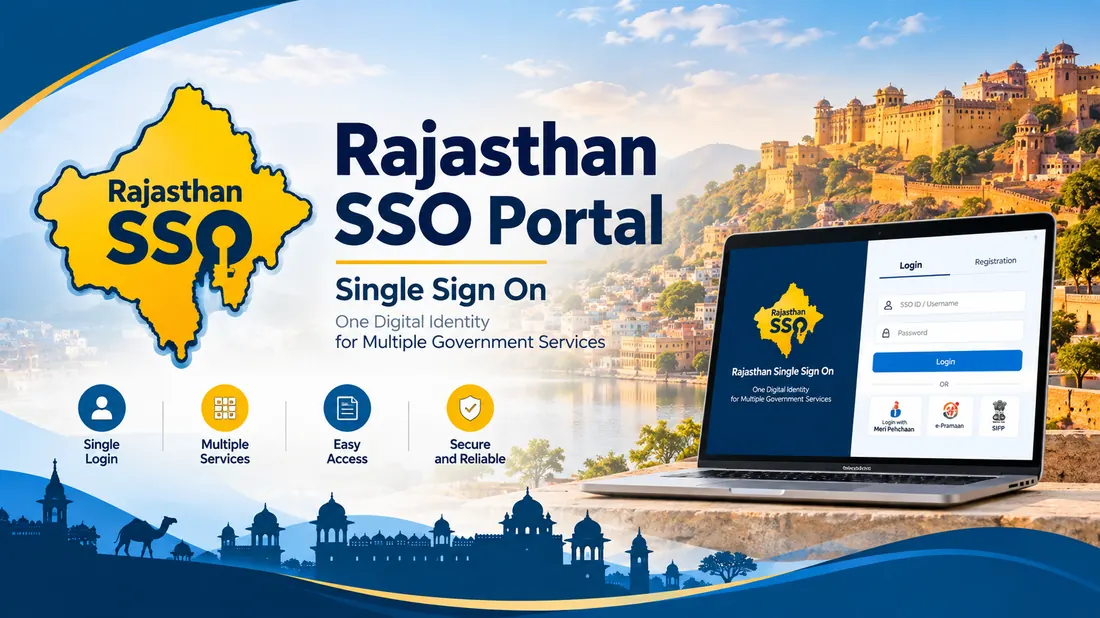
राजस्थान सरकार द्वारा राज्य के नागरिकों, युवाओं, व्यापारियों और कर्मचारियों के लिए एसएसओ (SSO Rajasthan - RajSSO Portal) की शुरुआत की गई है। इस पोर्टल की मदद से आप घर बैठे 100 से अधिक सरकारी योजनाओं, छात्रवृत्ति और ई-मित्र सेवाओं का लाभ उठा सकते हैं।
e-Mitra Citizen Services
Jan Aadhaar Scheme Linking
RPSC & RSMSSB Recruitment (OTR)
Raj-Kaj & E-Office Portal
Direct Government Gateway
Direct Action Portal Links (Rajasthan SSO)
Access verified authentication servers for citizen sign-in, new account creation, and password recovery:
The Rajasthan Single Sign-On portal brings state department websites into one login window at sso.rajasthan.gov.in. The Department of Information Technology & Communication (DoIT&C) built the platform for residents, business owners, and government staff across Rajasthan.
You use one username and password, called an SSO ID, instead of creating separate accounts for each department. That single login opens land records on Apna Khata, recruitment forms for RPSC and RSMSSB, scholarship applications, e-Mitra billing, and helpline tickets on Rajasthan Sampark 181.
Key Objectives & Citizen Use Cases
The system cuts out repeat paperwork and lets citizens reach state services directly from home:
Identity
Single Digital ID
One username and password gives you access to 100+ state government portals.
Recruitment
Online Exam Applications
Apply for RPSC civil services, REET, Patwari, Police Constable, and CET exams with one-time registration (OTR).
Public Services
e-Mitra & Certificates
Apply for bonafide residence, caste, income, and domicile certificates from home without visiting physical kiosks.
Who Can Create a Rajasthan SSO ID?
The portal divides accounts into three user groups:
Individual
1. Citizen (नागरिक)
Open to Rajasthan residents, students, and job seekers. You will need your Jan Aadhaar Card, or a Google Account if you live outside the state.
Enterprise
2. Udyog (उद्योग)
For shops, factories, and registered companies. You will need a Business Registration Number (BRN) or Udyog Aadhaar.
State Employee
3. Govt. Employee (कर्मचारी)
For Rajasthan government staff. Requires an active SIPF number and employee password.
How to Register a New SSO ID (Step-by-Step Guide 2026)
Follow these steps to set up your account:
1
Open the Registration Page
Go to https://sso.rajasthan.gov.in/register in your browser.
2
Choose Your Category
Select Citizen, Udyog, or Govt. Employee based on your account type.
3
Verify via Jan Aadhaar or Google
If you live in Rajasthan, enter your 10-digit Jan Aadhaar number and verify with the mobile OTP. If you do not have Jan Aadhaar, sign in with your Google account.
4
Pick a Username
Type your preferred username. The page will show a green check mark once it confirms the name is available.
5
Set Password & Submit
Enter a password with uppercase letters, numbers, and symbols. Confirm your mobile number and click Register. You will get an SMS with your new login details.
How to Login to Rajasthan SSO Portal (`sso.rajasthan.gov.in login`)
Rajasthan SSO Portal Step-by-Step Service Directories
Browse verified, in-depth citizen guides for single sign-on authentication, competitive recruitment, e-Mitra digital kiosks, and government welfare programs:
SSO One Time Registration (OTR) 2026: RPSC & RSSB Recruitment Process
राजस्थान लोक सेवा आयोग (RPSC) और राजस्थान कर्मचारी चयन बोर्ड (RSMSSB) द्वारा आयोजित की जाने वाली सभी प्रतियोगी परीक्षाओं (जैसे CET स्नातक / सीनियर सेकेंडरी स्तर, पटवारी, पुलिस कांस्टेबल, ग्राम विकास अधिकारी VDO, रीट REET एवं आरएएस RAS) के लिए वन टाइम रजिस्ट्रेशन (OTR - One Time Registration) अनिवार्य कर दिया गया है।
एक बार ओटीआर पूरा हो जाने के बाद, अभ्यर्थियों को प्रत्येक भर्ती के लिए बार-बार व्यक्तिगत विवरण भरने या बार-बार परीक्षा शुल्क देने की आवश्यकता नहीं होती। नीचे वर्ष 2026 के लिए आधिकारिक ओटीआर शुल्क स्लैब और नियमों की संपूर्ण जानकारी दी गई है:
Candidate Category (अभ्यर्थी श्रेणी)
One-Time Fee (एकमुश्त शुल्क)
Eligibility & Verification Requirement
सामान्य वर्ग (General) / क्रीमी लेयर (OBC / MBC)
₹600
आधार कार्ड / जन आधार कार्ड व 10वीं अंकतालिका से e-KYC सत्यापन अनिवार्य
नॉन-क्रीमी लेयर (OBC / MBC) / ईडब्ल्यूएस (EWS)
₹400
सक्षम प्राधिकारी द्वारा जारी वैध श्रेणी प्रमाण पत्र अपलोड आवश्यक
अनुसूचित जाति (SC) / अनुसूचित जनजाति (ST)
₹400
राजस्थान के मूल निवासी एससी/एसटी अभ्यर्थियों हेतु डिजिटल प्रमाण पत्र
दिव्यांगजन (PwD / PH Candidates)
₹400
न्यूनतम 40% दिव्यांगता प्रमाण पत्र (UDID Card) पोर्टल से लिंक होना चाहिए
राजस्थान राज्य से बाहर के अभ्यर्थी (Other States)
₹600
अन्य सभी राज्यों के अभ्यर्थी सामान्य (General) श्रेणी के अंतर्गत मान्य होंगे
Key Rules for OTR Profile Verification (ओटीआर प्रोफाइल लॉक नियम)
Jan Aadhaar Auto-Fetch: जब आप जन आधार नंबर दर्ज करते हैं, तो आपका नाम, पिता का नाम, जन्मतिथि और लिंग सीधे जन आधार डेटाबेस से सिंक हो जाता है। यदि जन आधार में नाम या जन्मतिथि गलत है, तो पहले जन आधार पोर्टल पर ई-केवाईसी अपडेट कराएं।
Secondary (10th) Marksheet Matching: माध्यमिक शिक्षा बोर्ड (RBSE/CBSE) की 10वीं अंकतालिका का रोल नंबर, बोर्ड का नाम और उत्तीर्ण वर्ष दर्ज करने पर विवरण स्वतः सत्यापित हो जाता है।
Profile Lock Warning: एक बार ओटीआर शुल्क का भुगतान करने और विवरण की पुष्टि करने के बाद, मूल नाम, पिता का नाम और जन्मतिथि में ऑनलाइन बदलाव लॉक हो जाता है। इसलिए सबमिट करने से पहले प्रत्येक स्पेलिंग की दो बार जांच करें।
Instant Eligibility Check: आप हमारी वेबसाइट के SSO OTR Fee & Eligibility Calculator का उपयोग करके अपनी श्रेणी के अनुसार सही शुल्क और आयु सीमा की जांच कर सकते हैं।
Using Rajasthan SSO on Smartphone: Mobile Browser vs App Security Guide
लाखों विद्यार्थी और ग्रामीण नागरिक अपने स्मार्टफोन से ही एसएसओ पोर्टल का उपयोग करते हैं। लेकिन मोबाइल से उपयोग करते समय कुछ महत्वपूर्ण सावधानियों और सही सेटिंग्स का पालन करना आवश्यक है:
1. No Standalone App Needed (किसी थर्ड पार्टी ऐप से बचें)
राजस्थान सरकार ने आम नागरिकों के लिए गूगल प्ले स्टोर पर कोई अलग बाध्यकारी एसएसओ मोबाइल ऐप जारी नहीं किया है। प्ले स्टोर पर उपलब्ध फर्जी ऐप्स में अपनी एसएसओ आईडी व पासवर्ड डालने से बचें क्योंकि इससे आपका खाता हैक हो सकता है।
2. Use Desktop Site Mode (डेस्कटॉप साइट मोड चालू करें)
Google Chrome या Apple Safari ब्राउज़र में sso.rajasthan.gov.in खोलें। ब्राउज़र के ऊपरी दाएँ कोने में तीन डॉट्स पर क्लिक करके "Desktop Site" विकल्प चेक करें। इससे एडमिट कार्ड प्रिंट, OTR चालान और e-Mitra के सभी ड्रॉपडाउन मेनू आसानी से दिखाई देते हैं।
3. Image & Signature Resizing (मोबाइल से फोटो रीसाइज)
मोबाइल कैमरे से खींची गई फोटो अक्सर 2MB से 5MB की होती है, जबकि सरकारी फॉर्म में केवल 50KB से 100KB की आवश्यकता होती है। फॉर्म रिजेक्शन से बचने के लिए हमारे निःशुल्क SSO Photo & Signature Resizer का उपयोग करें।
Managing Multiple SSO IDs: How to Merge Duplicate Accounts in Rajasthan
कई बार नागरिक अनजाने में एक एसएसओ आईडी अपने Google खाते से और दूसरी आईडी जन आधार कार्ड से बना लेते हैं। इसके अलावा, जब कोई नागरिक सरकारी सेवा (Government Service) में चयनित होता है, तो उन्हें राज्य बीमा एवं भविष्य निधि (SIPF) पोर्टल के लिए कर्मचारी आईडी (Govt Employee SSO ID) जारी की जाती है।
दोहरी एसएसओ आईडी होने पर जन आधार लिंकिंग में "Jan Aadhaar ID already linked with another SSOID" की त्रुटि आती है और भर्ती फॉर्म सबमिट नहीं हो पाता। इसे ठीक करने की संपूर्ण प्रक्रिया:
Account Scenario
Impact / Issue
Step-by-Step Merge Solution
Two Citizen IDs (दो सामान्य नागरिक आईडी)
जन आधार लिंक ब्लॉक, OTR परीक्षा फॉर्म में एरर
अपनी मुख्य (Primary) आईडी में लॉगिन करें → Profile Edit (पेंसिल आइकन) पर क्लिक करें → Deactivate / Merge Account विकल्प चुनें → दूसरी आईडी का यूजरनेम व पासवर्ड दर्ज कर ओटीपी से प्रमाणित करें।
Citizen ID to Govt Employee ID (कर्मचारी पदभार ग्रहण)
पुरानी नागरिक आईडी के परीक्षा रिकॉर्ड नए एम्प्लॉई खाते में नहीं दिखते
कर्मचारी एसएसओ आईडी में लॉगिन करें → SIPF पोर्टल से कर्मचारी कोड लिंक करें → Merge Citizen SSO ID में पुरानी नागरिक आईडी मर्ज कर समस्त पूर्व रिकॉर्ड्स ट्रांसफर करें।
Forgotten Credentials of Duplicate ID (पासवर्ड याद न होना)
मर्ज प्रक्रिया में दूसरी आईडी का पासवर्ड एरर
पहले sso.rajasthan.gov.in/forgot से पुरानी आईडी का पासवर्ड रीसेट करें अथवा [email protected] पर आधार कार्ड की प्रति संलग्न कर खाता विलोपन का ईमेल भेजें।
एसएसओ राजस्थान (RajSSO) Portal – Quick Search Terms & Hindi Guide
राजस्थान सरकार द्वारा राज्य के नागरिकों, युवाओं, व्यापारियों और कर्मचारियों के लिए एसएसओ (Single Sign-On - SSO ID Rajasthan) पोर्टल की शुरुआत की गई है। इस पोर्टल की मदद से आप घर बैठे 100 से अधिक सरकारी योजनाओं और ई-मित्र सेवाओं का लाभ उठा सकते हैं।
अक्सर उपयोगकर्ता अलग-अलग सर्च क्वेरी जैसे sso rajasthan, rajsso, sso login, ssoid registration rajasthan या raj sso id लिखकर पोर्टल खोजते हैं। नीचे मुख्य सर्च विषयों की स्पष्ट गाइड दी गई है:
Search Query / Term
Primary Intent & Official URL Guide
Direct Official Action
sso rajasthan / sso raj
राजस्थान सिंगल साइन ऑन मुख्य वेब पोर्टल। नागरिक यहाँ से सीधे अपना sso id open कर सकते हैं।
what is sso id rajasthan & how to create sso id rajasthan
एसएसओ आईडी क्या है और इसे कैसे बनाएं? यह राजस्थान सरकार की एकल पहचान प्रणाली है जिसे जन आधार या जीमेल से 5 मिनट में बनाया जा सकता है (create sso id rajasthan)।
Many applicants search using alternative terms across the state. Common variations include www sso id, www sso raj, www sso rajasthan, sso government, sso id rajasthan government, sso id in rajasthan, raj sso rajasthan, and rajasthan single on.
Whether you entered ssoid raj govt, raj ss0, rajasthan ssoid login, ssid rajasthan, sso id raj gov in, sso govt in, ss0 rajasthan government in, sso rajasthan in, sso rajasthan com, ssoid in, ssoid id, or sso id l, all official citizen transactions occur securely under the central umbrella of sso.rajasthan.gov.in.
Troubleshooting Top 10 Common RajSSO Login & Portal Errors (समाधान)
राजस्थान एसएसओ पोर्टल पर लॉगिन, फॉर्म सबमिशन और भुगतान करते समय उपयोगकर्ताओं को अक्सर विभिन्न तकनीकी त्रुटियों का सामना करना पड़ता है। नीचे शीर्ष 10 त्रुटियों के कारण और उनके त्वरित समाधान दिए गए हैं:
Error Message / Code
Underlying Root Cause
Verified Technical Solution
1. "Password Expired"
Mandatory 180-day security policy enforcement
Click the prompt on screen, enter current password, set a new password meeting policy (capital, symbol, number), and confirm with mobile OTP.
2. "Invalid Username or Password"
Typographical mistake, wrong case or accidental space
Check Caps Lock. Avoid auto-fill spaces. If still failing, use Forgot Password to reset instantly via SMS or Jan Aadhaar OTP.
3. "OTP Not Received on Mobile"
Telecom network congestion or DND filter active
Wait 60 seconds and click Resend OTP. Check if your registered number matches Jan Aadhaar. If SIM was swapped, wait 24 hours.
4. "Account Temporarily Locked"
Exceeded 5 consecutive failed login attempts
Wait 30 minutes for automated cooldown, or immediately unlock by sending SMS RJ SSO PASSWORD to 9223166166 from your registered SIM.
5. "Session Timed Out / Stale CSRF Token"
Multiple browser tabs open or idle session
Clear browser cookies and cache, close all tabs, and reopen sso.rajasthan.gov.in in an Incognito / Private window.
6. "User already registered with this Jan Aadhaar"
Accidentally created duplicate SSO account earlier
Do not create new account. Use Forgot SSO ID, enter Jan Aadhaar number to retrieve original username, then reset password.
7. "OTR Fee Deducted but Status Pending / Unpaid"
Bank payment gateway reconciliation delay
Do not pay twice immediately. Go to Payment History in Recruitment Portal, click Verify Payment. Bank reconciles within 24 to 48 hours.
8. "Invalid Captcha / Captcha Not Loading"
Browser ad-blocker or corrupted cached script
Click the refresh icon beside the captcha image. Disable ad-blocker extensions on gov.in domains or press Ctrl+F5.
9. "Jan Aadhaar Data Mismatch with 10th Marksheet"
Spelling or Date of Birth mismatch in Jan Aadhaar
Before locking OTR profile, update name and DOB in Jan Aadhaar portal via e-KYC. Marksheet details must match Jan Aadhaar records exactly.
10. "Server Error 500 / Service Unavailable"
Extreme server load on recruitment deadline nights
Access the portal during off-peak hours (between 6:00 AM and 9:00 AM or late night). Avoid submitting forms in the final 2 hours of deadlines.
Official RajSSO Helpdesk & Support Contact Details
If you encounter technical glitches on the official government website, reach out directly to the DoIT&C state support team:
State Citizen Grievance Helpline: Dial 181 (Toll-Free in Rajasthan)
Office Location: Department of Information Technology & Communication (DoIT&C), IT Building, Yojana Bhawan, Tilak Marg, C-Scheme, Jaipur, Rajasthan – 302005.
Important Disclaimer & Verification Notice
RajSSO.com is an independent informational and educational portal created to assist citizens, job aspirants, and business owners in understanding the Rajasthan Single Sign-On ecosystem. This website is NOT affiliated with, authorized by, or associated with the Government of Rajasthan or DoIT&C. We never collect passwords, Aadhaar numbers, or confidential user credentials. For official transactions and secure services, always visit the official government domain: sso.rajasthan.gov.in.
राजस्थान सिंगल साइन ऑन (RajSSO) से जुड़े नागरिकों, अभ्यर्थियों और कर्मचारियों द्वारा गूगल पर सबसे ज्यादा पूछे जाने वाले शीर्ष 18 प्रश्नों के प्रामाणिक उत्तर:
An SSO ID is your single login account for Rajasthan state websites. Instead of signing up on multiple portals, one username and password gives you access to e-Mitra, RPSC exam forms, scholarship applications, and land records at sso.rajasthan.gov.in.
Go to sso.rajasthan.gov.in/register and click the Citizen tab. Enter your Jan Aadhaar number or sign in with your Google account. Verify the mobile OTP, pick an available username, set a password, and submit. You will get an SMS with your new login details.
Click Forgot Password on sso.rajasthan.gov.in. You can reset it using an OTP sent to your registered mobile number, email, or Jan Aadhaar. You can also send an SMS with RJ SSO PASSWORD to 9223166166 from your registered mobile.
Click Forgot SSO ID (Search) on sso.rajasthan.gov.in. Enter your Jan Aadhaar number, registered mobile number, or Google email. Once you verify the OTP, the portal texts your username to your phone.
The system requires users to change their password every 180 days for security. Click the prompt, type your current password, set a new one, verify the mobile OTP, and log back in.
To open RajSSO on mobile, open Google Chrome or Safari, navigate to sso.rajasthan.gov.in, and switch your browser setting to Desktop Site for full button visibility. Enter your Digital Identity (SSO ID), password, and security captcha code to log in seamlessly without installing third-party apps.
If sso.rajasthan.gov.in shows Site Can not Be Reached or timeout errors, it usually occurs during high-traffic recruitment deadlines (such as RPSC or CET forms). Clear your browser cache and cookies, switch off VPN connections, or use an incognito private window. If the server is undergoing scheduled midnight maintenance by DoIT&C, try logging in after 30 minutes.
Yes. Having duplicate SSO IDs can block recruitment forms and Jan Aadhaar linking. You can merge duplicate citizen accounts into your primary active SSO ID or request DoIT&C state helpdesk at [email protected] with your Jan Aadhaar number and registered identity proof to deactivate redundant credentials.
No. RajSSO.com is an independent citizen educational guide. The official Rajasthan Government portal is sso.rajasthan.gov.in.
नहीं। राजस्थान सरकार के नियमों के अनुसार एक नागरिक के पास केवल एक ही सक्रिय एसएसओ आईडी होनी चाहिए। यदि आपके पास दो आईडी बन गई हैं, तो अपनी प्राथमिक आईडी में लॉगिन करके प्रोफाइल एडिट सेक्शन से Deactivate / Merge Account विकल्प चुनकर दूसरी आईडी को मर्ज कर लें ताकि जन आधार और OTR में कोई त्रुटि न आए।
सुरक्षा कारणों से नागरिक प्रोफाइल में जन आधार को सीधे ऑनलाइन अनलिंक करने की अनुमति नहीं होती। यदि गलत जन आधार जुड़ गया है, तो आपको DoIT&C राज्य हेल्पडेस्क ([email protected]) पर अपने मूल आधार कार्ड और जन आधार की प्रति के साथ संशोधन का ईमेल भेजना होगा।
राजस्थान वन टाइम रजिस्ट्रेशन (OTR) के तहत सामान्य वर्ग व क्रीमी लेयर ओबीसी के लिए ₹600, जबकि राजस्थान के नॉन-क्रीमी लेयर ओबीसी, ईडब्ल्यूएस, एससी, एसटी एवं दिव्यांग अभ्यर्थियों के लिए ₹400 एकमुश्त शुल्क है। एक बार OTR शुल्क जमा होने के बाद आगामी सभी भर्ती परीक्षाओं के फॉर्म पूरी तरह निःशुल्क भरे जाते हैं।
एसएसओ पासवर्ड हर 180 दिन (6 माह) में सुरक्षा कारणों से स्वतः समाप्त (Expire) हो जाता है। नया पासवर्ड बनाते समय न्यूनतम 8 अक्षर रखें, जिसमें कम से कम एक बड़ा अक्षर (A-Z), एक छोटा अक्षर (a-z), एक संख्या (0-9) और एक विशेष चिन्ह (@, #, $) अवश्य शामिल होना चाहिए।
एसएसओ पोर्टल में लॉगिन करें और ऊपरी दाएँ कोने में अपने नाम के पास पेंसिल (Edit Profile) आइकन पर क्लिक करें। वहाँ Browse बटन पर क्लिक करके 50KB से 100KB के बीच की नई पासपोर्ट फोटो और 20KB से 50KB का डिजिटल हस्ताक्षर अपलोड करके Update पर क्लिक करें।
एसएसओ आईडी में लॉगिन करके Employment (रोजगार सेवा) ऐप पर क्लिक करें। जॉब सीकर (Job Seeker) रजिस्ट्रेशन पूरा करें। इसके बाद Unemployment Allowance विकल्प पर जाकर अपनी 10वीं, 12वीं, स्नातक डिग्री और जन आधार विवरण अपलोड करके बेरोजगारी भत्ता (मुख्यमंत्री युवा संबल योजना) का फॉर्म सबमिट करें।
यदि आप अपनी अतिरिक्त या डुप्लीकेट एसएसओ आईडी स्थायी रूप से बंद करना चाहते हैं, तो प्राथमिक आईडी में लॉगिन करके प्रोफाइल एडिट में Deactivate Account चुनें। या फिर [email protected] पर पंजीकृत ईमेल से आधार कार्ड संलग्न कर खाता स्थायी रूप से हटाने का अनुरोध भेजें।
यदि पुराना मोबाइल नंबर बंद हो गया है, तो आप अपने जन आधार कार्ड में जुड़े अन्य पारिवारिक सदस्यों के मोबाइल नंबर पर ओटीपी मंगाकर लॉगिन कर सकते हैं। इसके अलावा, अपने जन आधार पोर्टल पर ई-मित्र कियोस्क से नया मोबाइल नंबर अपडेट कराएं, जिसके बाद एसएसओ आईडी में स्वतः नया नंबर सिंक हो जाएगा।
यदि जन आधार में आपका नाम या जन्मतिथि 10वीं की अंकतालिका से अलग है, तो पहले जन आधार पोर्टल (janaadhaar.rajasthan.gov.in) पर जाकर ई-केवाईसी संशोधन कराएं। जब जन आधार का विवरण 10वीं मार्कशीट से 100% मैच हो जाए, तभी OTR प्रोफाइल सत्यापित और लॉक करें, अन्यथा परीक्षा में दस्तावेज सत्यापन के समय अयोग्य घोषित किया जा सकता है।
We use cookies to optimize speed, save comments, and support site analytics. By continuing, you agree to our Cookie Policy & Privacy Policy.